
Goodbye Spreadsheets, Hello AI Travel Planning
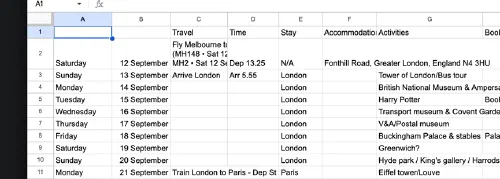
I’m fortunate enough to be in a position whereby I’ve recently been able to go on a short holiday with my family overseas. Unless you’ve got money to burn with a travel agent, this kind of thing requires a huge amount of pre-planning, from flights to accommodation, to activities and places to visit. To help me plan I used a trusty spreadsheet (Google Sheets to be precise), divided it by dates with a rough plan of what we’re doing on each day, something similar to the following:
When I was speaking to one of my colleagues recently, she mentioned that for her upcoming holiday, she used Wanderlog, an app to help you create detailed itineraries and store booking details. However, there were a few things about this that I wasn’t super excited about. Firstly, I didn’t really like the $39.99 USD yearly pricing, which seemed a bit expensive in comparison to the spreadsheet. Secondly, I didn’t like the idea of having to copy all the data out of the spreadsheet into a proprietary UI. Thirdly, it offers a Gmail import feature, which can scan your email for trip details and automatically import them, or a custom email address which you can manually forward reservations to, but ultimately I was concerned about sending all that data to another third party. If you’re not that technical and you travel a lot, I think it definitely looks like a really compelling product.
Surely there is an alternative? Enter Trek, a self-hosted travel planner, with AI built in. Very on trend.
Deployment & Setup
I went with a cheap and cheerful OVH VPS out of Sydney, and then because I’m allergic to exposing anything on the internet, a combination of Tailscale for SSH access, and a Cloudflare Tunnel for exposing the Trek server itself. I ended up running Cloudflare’s tunnel client in Docker, and then establishing a Docker network specifically for Cloudflare to Docker access, which allows any Docker container attached to the network to be accessible via a tunnel.
Effectively, by exposing something similar to the following docker-compose file, the trek server is accessible via
Cloudflare:
services:
  app:
    image: mauriceboe/trek:latest
    container_name: trek
    ports:
      - "3000:3000"
    networks:
      - cloudflare_cloudflare

networks:
  cloudflare_cloudflare:
    external: true
With the Cloudflare docker-compose looking like the following:
services:
  # The Cloudflare Tunnel Connector
  cloudflare-tunnel:
    image: cloudflare/cloudflared:latest
    restart: unless-stopped
    command: tunnel --no-autoupdate run ovh
    environment:
      TUNNEL_TOKEN: ${TUNNEL_TOKEN}
    networks:
      - cloudflare
networks:
  cloudflare:
    driver: bridge
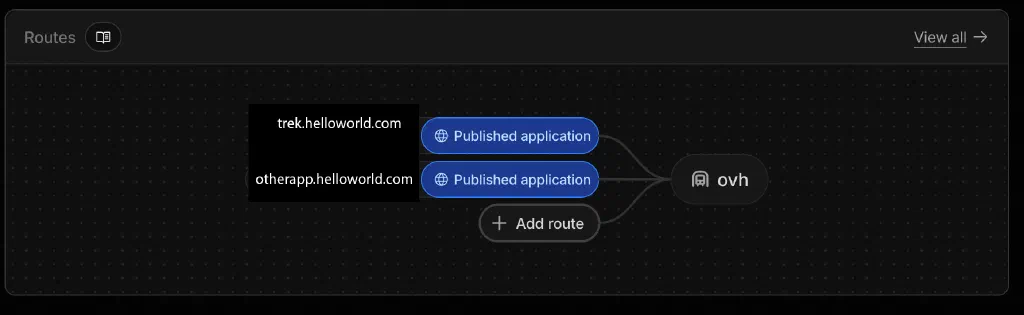
The application can then be easily exposed via the Cloudflare UI.
Portal
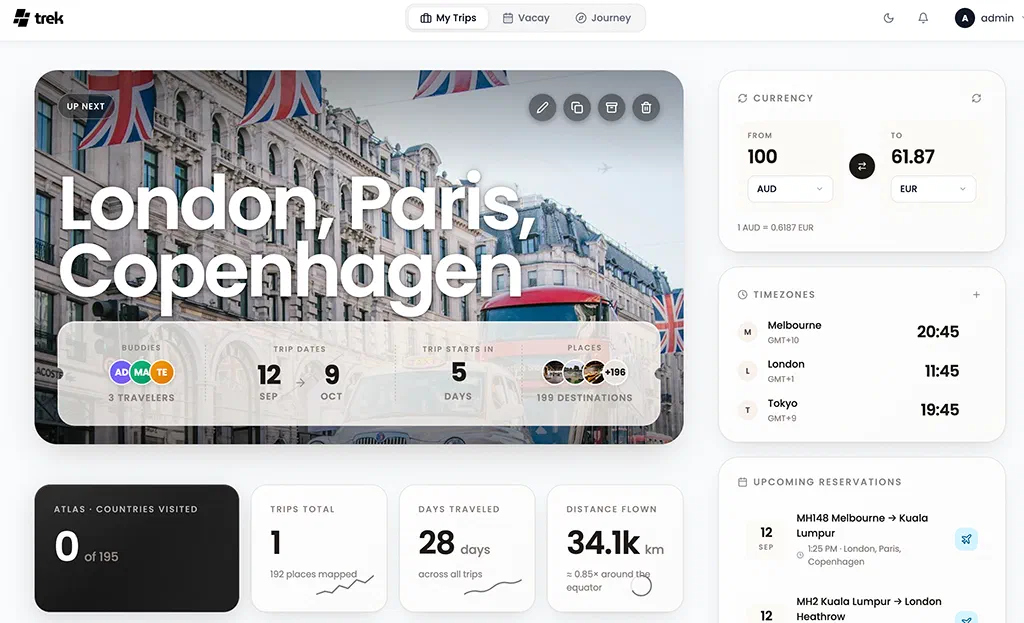
With it all wired up via Docker, the application is nice and slick, especially on desktop. You do need to spend a bit of time wiring in API keys, for services like Google Maps and Unsplash, if you want a better experience, but it’s definitely serviceable with the defaults out of the box.
MCP-Oh-My?
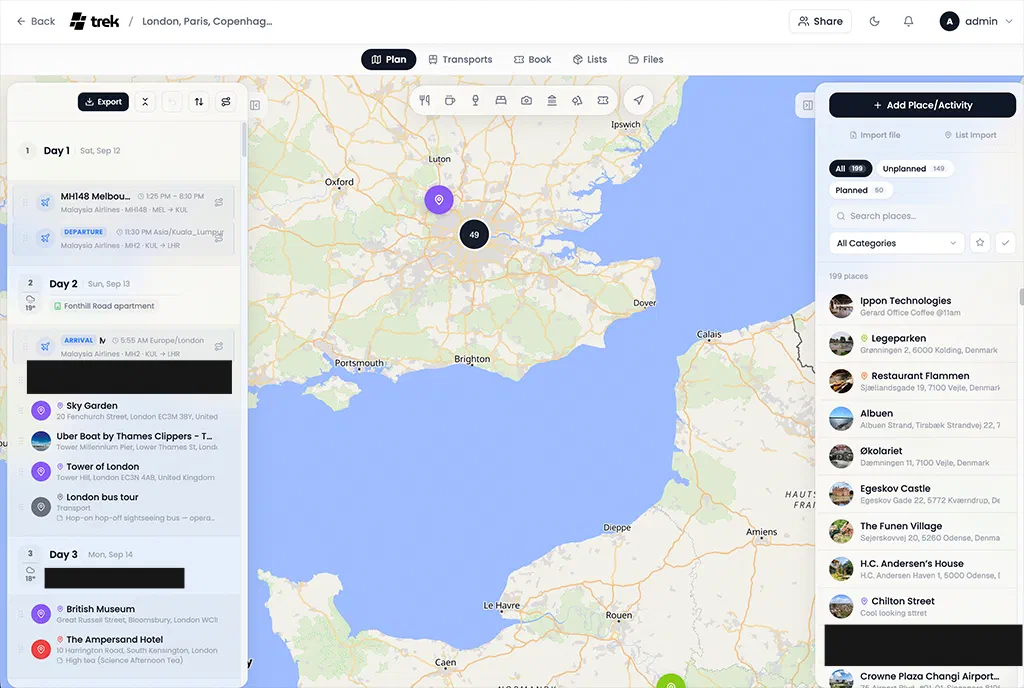
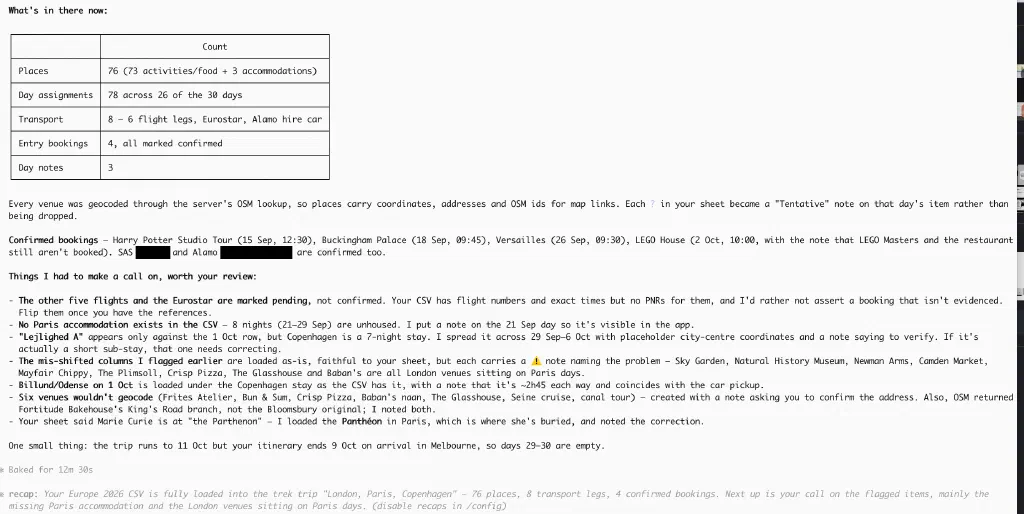
The big drawcard for me was the inbuilt MCP server. This has really been designed around AI from the ground up, and so I was excited to see what I could do with it. I wired up my local Claude Code CLI (authing via OAuth) and downloaded my Google spreadsheet as a CSV file. Claude dutifully parsed the spreadsheet and then loaded the trip plan into Trek. No more spreadsheet. I would say that the spreadsheet was effectively semi-structured data, with days and notes scattered across various columns and tables. As you can see with the following example screenshot, it was able to detect subtle issues with my data, as well as geocode places based on the naming alone, which is pretty neat. It completely removed the need for me to manually copy the data across into Trek, which would have been cumbersome.
Activity Planning
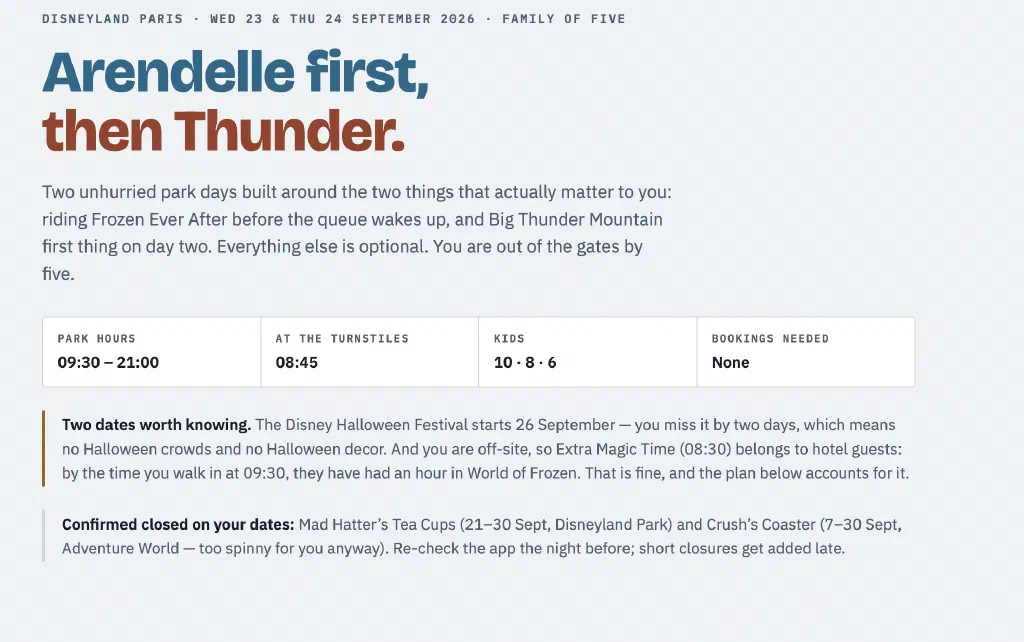
Delving deeper into the Claude-powered trip planning, I even started using it for my much-anticipated visit to Disneyland Paris. Effectively, I gave it the following prompt, which performed a number of web searches to get a view of ride availability, and then generated an elaborate plan-on-a-page:
Planning two days at Disneyland Paris. The first day, we have a ticket for both parks.
The second day, I have a ticket only to magic kingdom.
We're going on the 23rd and 24th of September.
We're a family of 5, with kids aged 10, 8 and 6.
We don't like rides that are too intense. We want to go on the new frozen ride as a priority, and we'd also like to go on big thunder mountain on the second day.
We want to spend the majority of the time in Disney Adventure World for the first day, but we can potentially go to the magic kingdom in the late afternoon.
We want to be there for open, but we will probably finish up around 4 to 5 pm each day. Come up with a plan that isn't too stressful.
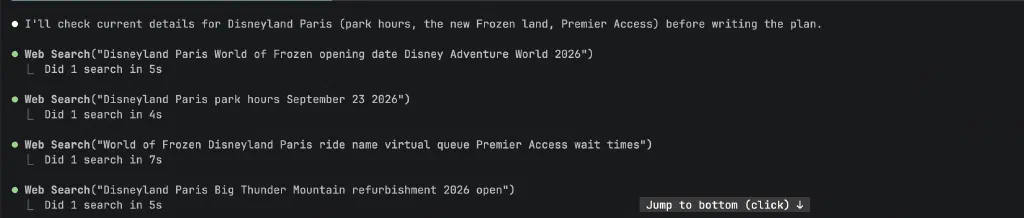
I think what’s fascinating about this is that it really cuts out all that laborious planning work around trying to work out what’s open and what’s not. When you’ve only got a limited amount of time to spend (the real currency of holidays), you’re not able to just rock up and wing it.
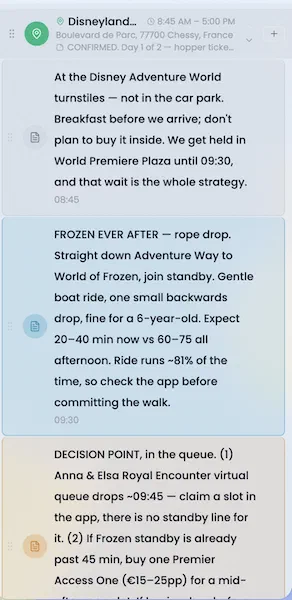
Then, with a single load it into Trek response, it loaded it into Trek via the MCP connection.
Place Curation
Being a slave to the Instagram algorithm, as well as the occasional blog post, I wanted to be able to jot down a place that I saw/read about that looked like it might be worth a visit. Effectively, I wanted a set of pre-planned recommendations for places near the core attractions we were visiting, in case our plans needed to change and we needed to grab a quick bite to eat. Think “oh, we’ve finished with the museum now, is there a good bakery nearby?” I didn’t want to be madly googling for bakeries near the British Museum with a hungry, crying 6-year-old.
With Instagram, I just saw a reel I liked, and copied the details in manually (like an animal), but for blog posts, you could just point Claude at them, and it would fire them into Trek via the MCP connection.
On the Ground
There were a couple of little hiccups when I got on the ground, but nothing unmanageable. Firstly, I had gone a little too overboard with the Cloudflare tunnel security, and blocked API calls from countries other than Australia.
Secondly, the PWA behaviour on iOS is still pretty frustrating. Effectively, it would ask for my location permissions every couple of times I would open it, which I found incredibly annoying when trying to use a map as a core function.
I hadn’t bothered to set up the iOS Claude to Trek MCP connectivity beforehand, which meant that any subsequent Claude calls I made during the trip didn’t necessarily have the context of the trip as a whole. This just meant that I needed to provide additional context in my prompts, but it would have been good for Claude to be able to both pull and push trip updates.
Fin
 I didn’t open my old Google spreadsheet once, and entirely relied on Trek to manage my itinerary and associated files.
Even just having Claude in my pocket, being able to ask questions quickly and then put my phone away while it
calculates a response in the background was a huge win. Now just to plan something else.
I didn’t open my old Google spreadsheet once, and entirely relied on Trek to manage my itinerary and associated files.
Even just having Claude in my pocket, being able to ask questions quickly and then put my phone away while it
calculates a response in the background was a huge win. Now just to plan something else.